
User Plan: none
FANUC Robot Mastering Procedure
The Final Guide for FANUC Robot Mastering. This procedure must be done with controller selector key to T1 and teach pendant to ON.
ENABLING MASTERING
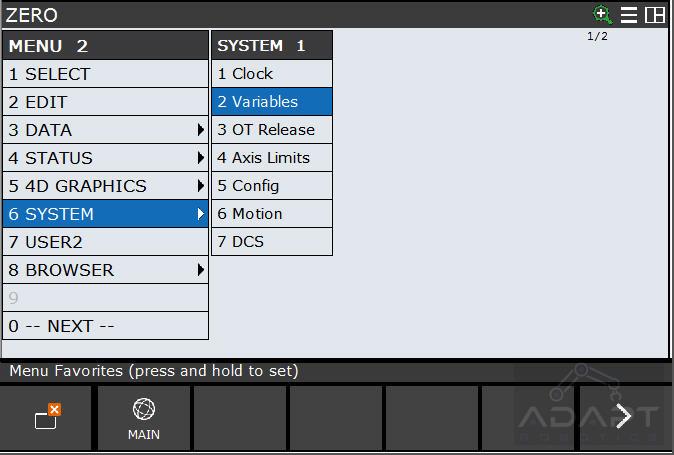
- PRESS –> [ MENU ]
- SELECT –> [ 0 ] 0 NEXT
- SELECT –> [ 6 ] 6 SYSTEM
- SELECT –> [ 2 ] Variables
- Using Arrow –> Scroll down to the variables list until you get to $MASTER_ENB
- PRESS –> [ 1 ]
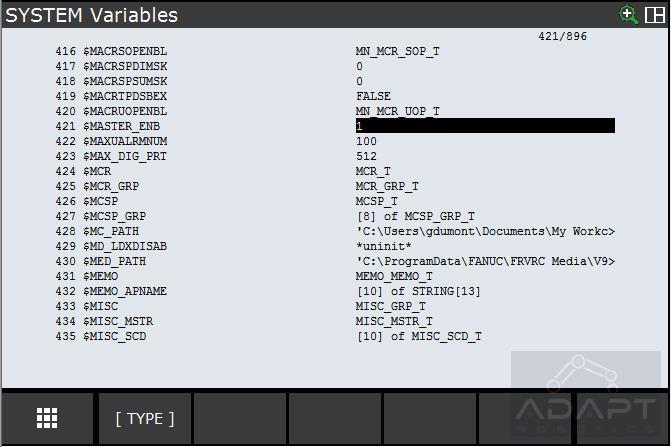
- PRESS –> [ ENTER ]
BRAND NEW ROBOT
🔒 BASIC Content
Upgrade your subscription to access this section.
This article/project includes:
- Complete guides for Fanuc robot mastering
- Enable mastering
- Brand new and used robot mastering
- Quick mastering
- Calibration Check
- Related DCS settings